Credit cards are a must for almost every online store in Brazil. Brazilian shoppers use them to split larger purchases into installments (parcelamento) and to buy on the spot, even without the full amount in their account. For online sellers, accepting cards usually means more completed sales and a higher average order value.
How online card payments work
There is no card machine in an online sale: the customer types their card details into a payment page. The payment platform sends the transaction to the card network and the issuing bank, which approve or decline it within seconds based on the available limit and a risk check. Once approved, the amount is paid out to the merchant.
How to accept cards, step by step
- Open an account with a payment platform: it connects your store to the card networks and banks.
- Choose how to sell: payment link, an integration with your online store, or an API.
- Set up installments: decide whether to offer single payment, installments or both.
- The customer pays: they enter their card details and choose the number of installments.
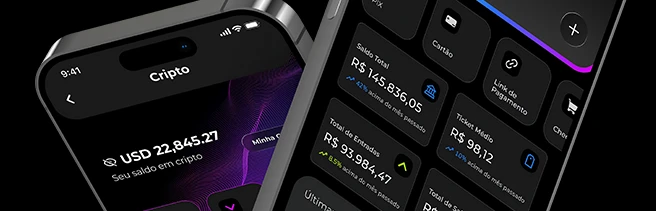
- You get the confirmation: the sale shows up in your dashboard and app, and your system can be notified by webhook.
Ways to accept cards with Sila Pay
- Payment link: sell on WhatsApp, Instagram or email without a website. Card details are entered on a secure page and never pass through you.
- WooCommerce plugin: for WordPress stores, with card, Pix and boleto at checkout.
- API: integrate payments into your website or system, with developer documentation.
When cards make a difference
- Higher-value purchases: installments make the price more affordable.
- Digital products and services: approval comes in seconds, with no clearing time.
- Sales on WhatsApp and social media: with a payment link, customers pay by card without leaving their phone.
Ready to start accepting cards? Open your Sila Pay account
Chargebacks: what they are and how to protect yourself
A chargeback is when the cardholder disputes a purchase with their issuing bank, for example because they don't recognize it or say the product never arrived. If the dispute is accepted, the money goes back to the customer. In Sila Pay, disputes appear in your dashboard, where you can follow each case and submit your defense.
- Keep proof of delivery and your conversations with the customer.
- Describe products clearly and make your exchange and return policy easy to find.
- Be wary of unusual orders, such as repeated attempts with different cards.
Tips to sell more by card
- Show the installment amount next to the price.
- Ask only for the information you need at checkout: every extra field can make a customer give up.
- If a card is declined, suggest another card or Pix.
Frequently asked questions
Do I need a website to accept cards?
No. With a payment link you can sell on WhatsApp and social media, with no website and no card machine.
Do I need a Brazilian company (CNPJ)?
With Sila Pay you can sell as an individual or as a company; the sign-up process lists the documents required in each case.
Accept card, Pix and boleto in your online store. Sign up for Sila Pay