You closed the day with plenty of sales: some by Pix, some by card, one boleto paid and two payment links sent over WhatsApp. But does the money that came in match what you sold? Answering that question with confidence is what sales reconciliation is for: a simple routine that prevents silent losses and gives you a clear view of your business's financial health.
What is sales reconciliation
Sales reconciliation, also called financial reconciliation, is the process of comparing what you sold with what you actually received. On one side are your sales records: orders, invoices, receipts or your own system. On the other are the payments recorded by your payment platform and your available balance. When both sides match, great. When they do not, you spot the difference early and can do something about it.
You do not need to be an accountant to do it. What matters is having a method: always checking the same points, at the same frequency, and writing down anything still open.
Why reconciliation matters for small businesses
- It stops money slipping away unnoticed: an unpaid sale, a duplicate payment or a forgotten refund goes unseen when nobody checks.
- It improves cash flow: knowing what has come in and what is still on its way helps you plan purchases, bills and investments.
- It makes your accountant's job easier: organised numbers mean a faster month-end close with less rework.
- It helps you catch fraud and mistakes: odd patterns show up sooner when you look at your data often.
- It supports better decisions: with reliable numbers, it is easier to see which products and channels really pay off.
Sale amount and amount received are not always the same
This confuses many business owners: the amount that reaches your balance can differ from the sale amount. There are legitimate reasons for that, such as deductions applied by the payment method, instalment sales that arrive bit by bit, refunds and disputes. That is why reconciliation compares the gross amount (what the customer paid) with the net amount (what actually stays with you) and checks that every difference has an explanation.
How to check each payment method
Pix
Pix is usually the easiest to reconcile, because payment is confirmed instantly. The challenge is knowing who paid for what. Payments sent straight to a Pix key, with no reference, force you to dig through chats looking for receipts. Whenever possible, create a specific charge for each order, such as a dynamic QR code or a payment link, so every payment arrives already tied to the right sale.
Credit and debit cards
For cards, check that every approved sale shows up in your dashboard with the right amount, and keep track of instalment sales, which come in over time. Watch out for declined transactions the customer believes went through, double charges and disputes opened after the purchase.
Boleto
With a boleto (Brazil's bank payment slip), the key question is: was what you issued actually paid? Separate boletos that were paid, those still open and those that have expired. Remember that payment confirmation is not instant like Pix, and that interest, late charges or an early-payment discount can change the final amount.
Payment links
Links sent by WhatsApp, Instagram or email are handy, but they pile up easily. Check which links were paid, which are pending and which should be cancelled. Since one link can accept more than one payment method, also note which method was used for each sale.
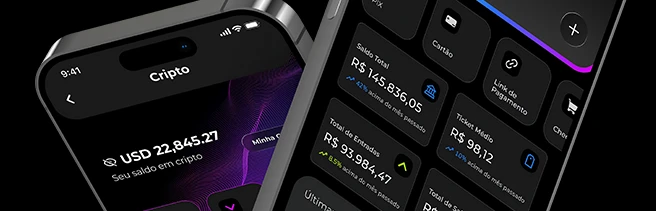
Want to see Pix, card, boleto and links in one dashboard? Open your Sila Pay account
Refunds and chargebacks in reconciliation
Refunds and chargebacks change the result after the sale, so they deserve special attention. A refund is money you choose to return, for example after an exchange or a cancellation. A chargeback is a dispute the cardholder files with their card-issuing bank. In both cases, record the event next to the original order so the sale does not keep showing up as revenue in your records. Also keep an eye on open disputes, since the amount may be held until a decision is made.
The most common mismatches
- Sale recorded but not paid: the customer gave up, the boleto expired or the link was never opened.
- Payment with no matching sale: a Pix received with no reference, or an order that was never logged.
- Duplicate payment: the customer paid twice, for example by Pix and again through the link.
- Different amount than expected: an on-the-spot discount, boleto interest, instalments or deductions by the payment method.
- Unrecorded refund or chargeback: the money went out, but the sale still counts as revenue.
- Typing errors: amounts entered by hand with a digit swapped.
A simple routine: daily and weekly
Reconciling a little every day is far easier than trying to make sense of a whole month at once.
Every day
- Compare the day's sales with the payments confirmed in your dashboard or app.
- Flag anything open: unpaid links, outstanding boletos, unidentified Pix payments.
- Record the refunds and cancellations made that day.
Every week
- Review the week's open items and follow up on or cancel anything stuck.
- Check your balance and the amounts still to come in, including card instalments.
- See whether there are open chargebacks or disputes and whether your responses are up to date.
- Save the period's reports to send to your accountant at month end.
Use reports, the API and webhooks to automate
A spreadsheet works at first, but volume grows. The first step is to use the reports in your payment platform's dashboard or app, filtering by period, payment method and status. That way you can quickly see what was paid, what is pending and what was refunded.
If you run an online store or your own system, you can go further. With webhooks, the platform notifies your system whenever a payment status changes, for example when a Pix is confirmed or a boleto is paid, and the order can be updated automatically. With the API, your system can query transactions and balance to cross-check data without manual typing. Plugins for online stores also help keep orders and payments in sync.
Frequently asked questions
How often should I reconcile?
Ideally, a quick check every day and a fuller review every week. Businesses with few sales can start with the weekly review only.
Do I need special software to reconcile?
Not at first. A well-organised spreadsheet and your dashboard reports are enough. As volume grows, API and webhook integrations save time and reduce errors.
What should I do when I find a difference?
Write it down, trace its source (order, receipt, payment status) and fix it: follow up with the customer, record the refund or correct the entry. Never let a difference disappear without an explanation.
Keep your payments organised and track everything in the dashboard and app. Sign up for Sila Pay